Details
The full feature list, the markdown syntax, and how to run it and connect your clients.
Calendar
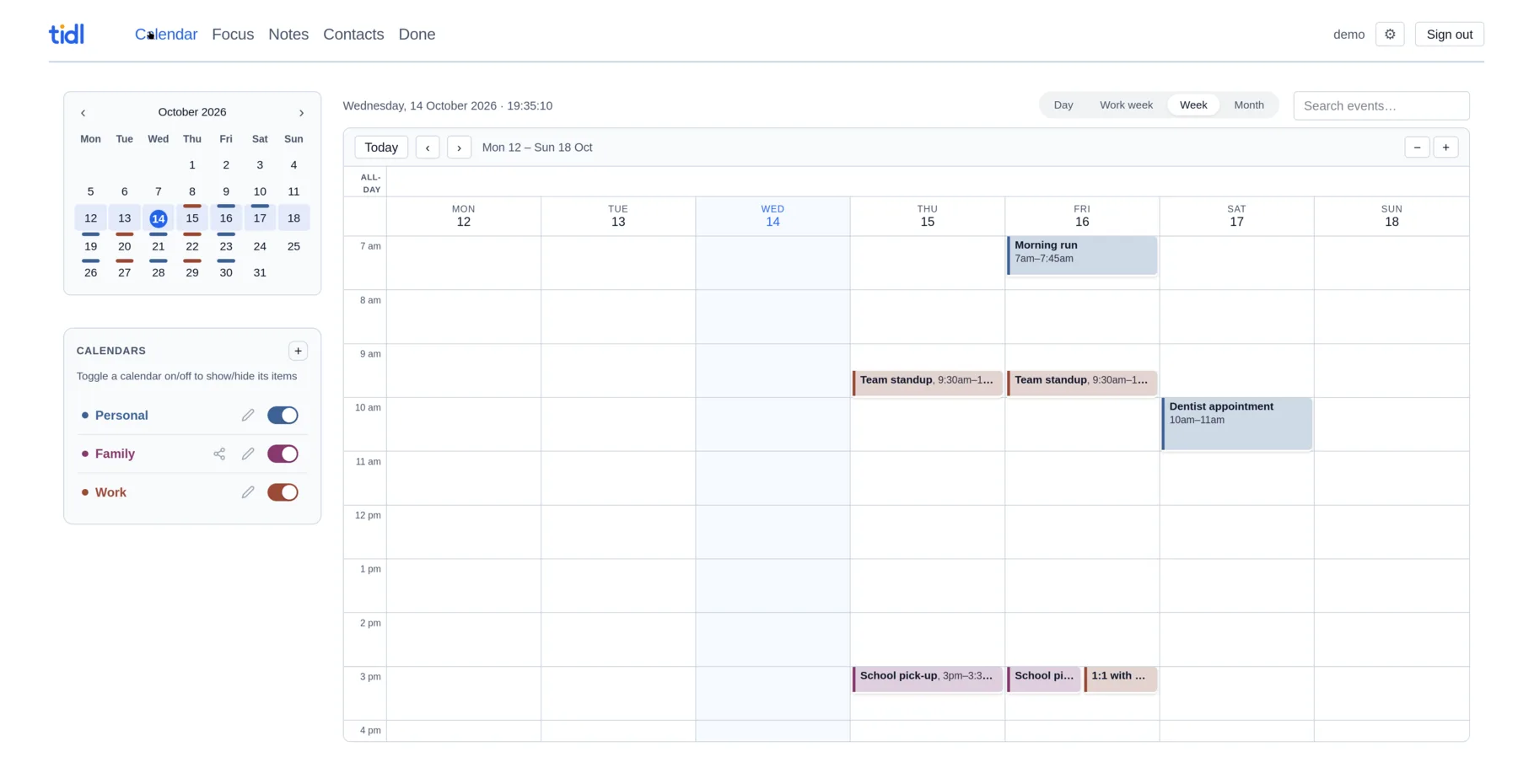
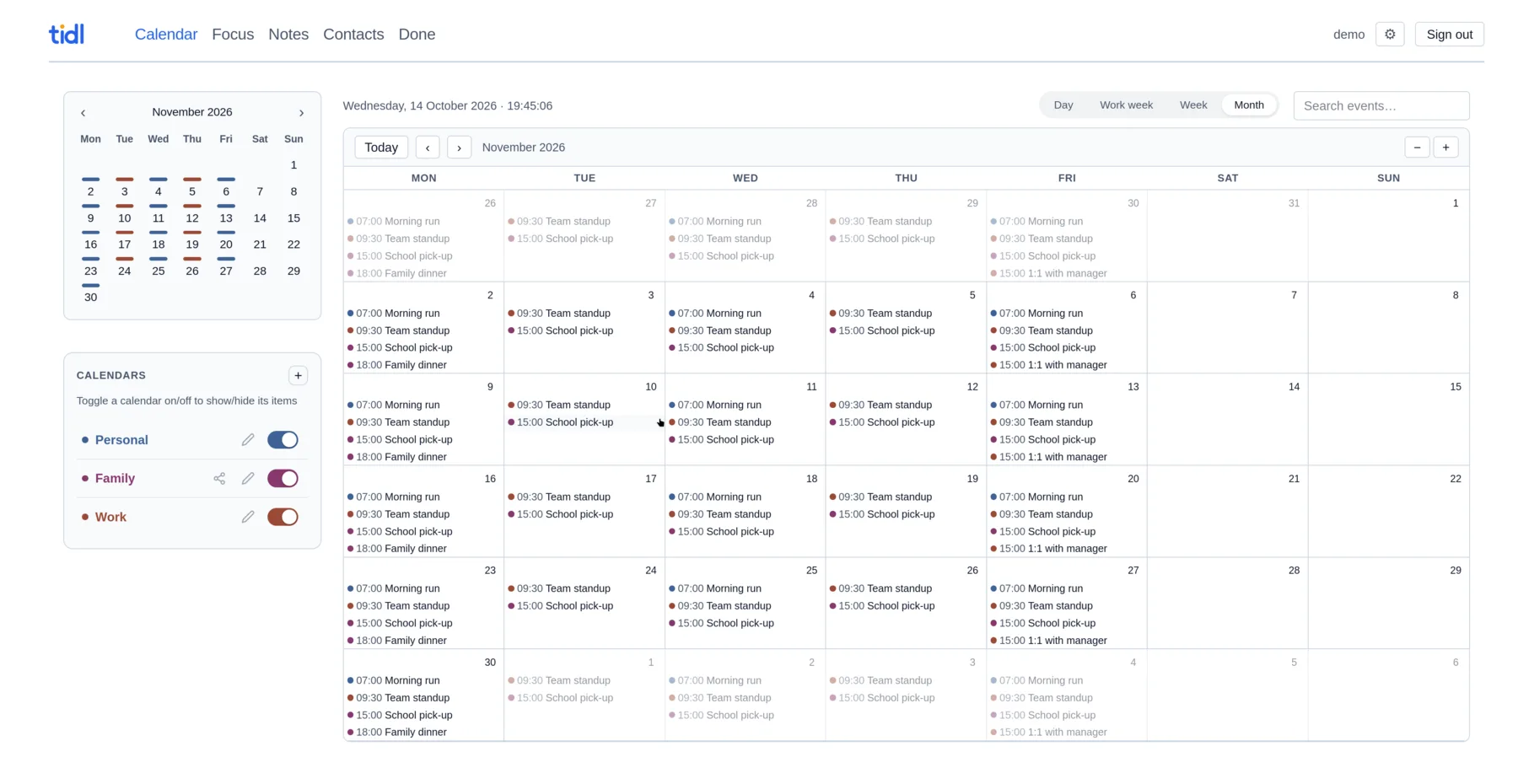
- Views
- Day, work week, week and month. Drag to resize events, zoom the hour scale with −/+ or Ctrl/⌘ + scroll.
- Multiple calendars
- Colour-coded, toggled on and off from the sidebar. A muted 12-colour palette that adapts to light and dark mode.
- Recurring events
- RRULE recurrences. Edit one occurrence or the whole series, or delete a single occurrence.
- Reminders
- Full VALARM support. Display and audio alarms fire in the browser, email alarms are sent by the server.
- Import & subscribe
- Import
.icsfiles, subscribe to webcal feeds like school portals or public holidays, and mirror any remote CalDAV server. - Invitations by email
- Forward a meeting invite to your personal tidl address and it lands in your calendar.
Focus & tasks
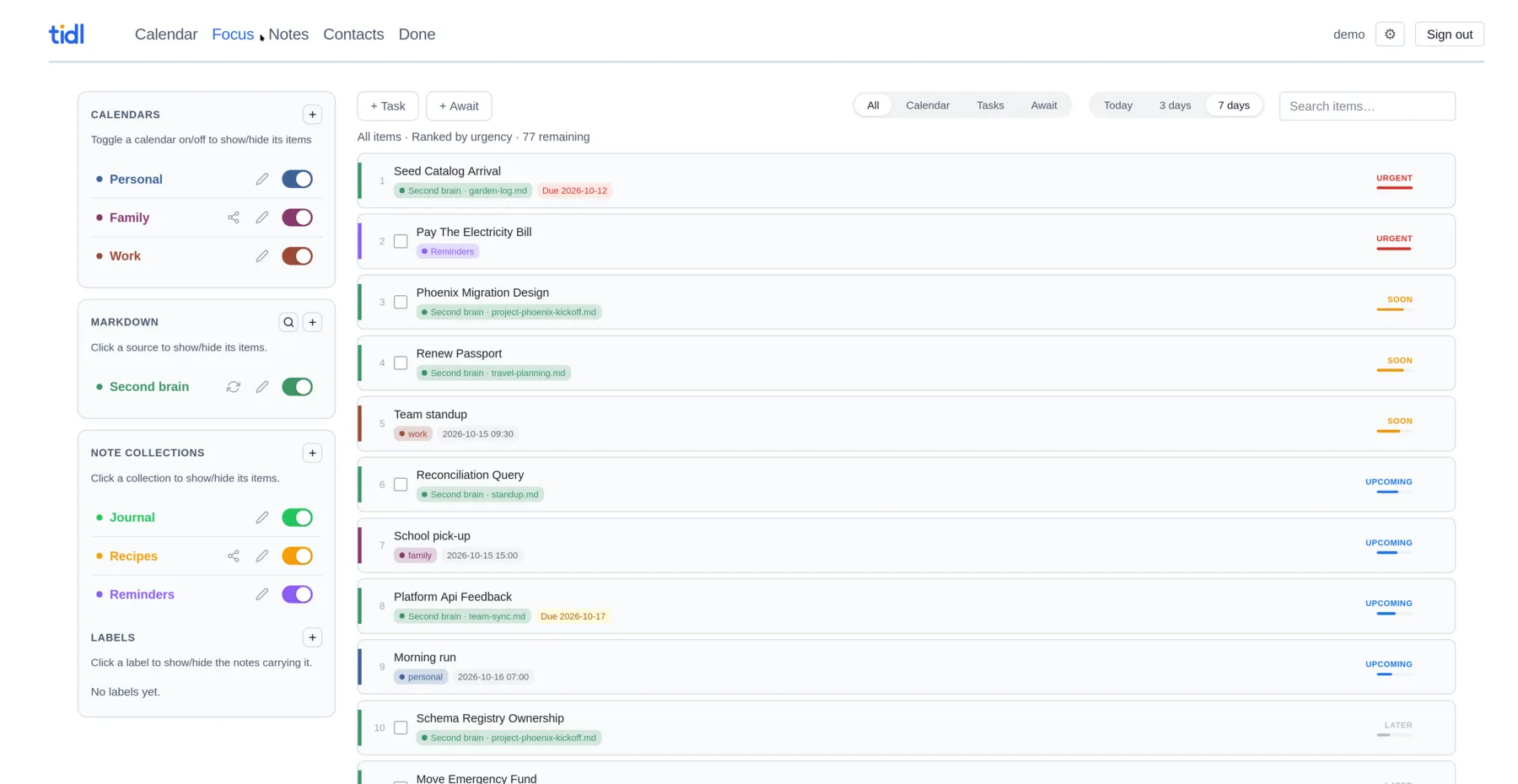
- Focus
- One urgency-ranked list of events, tasks and awaits, for today, 3 days or 7 days. Events climb as they approach and outrank tasks once they are imminent. Re-ranks every minute.
- Suppress
- Hide an item from Focus for good. Suppressed items stay in a collapsible section so you can undo.
- Tasks
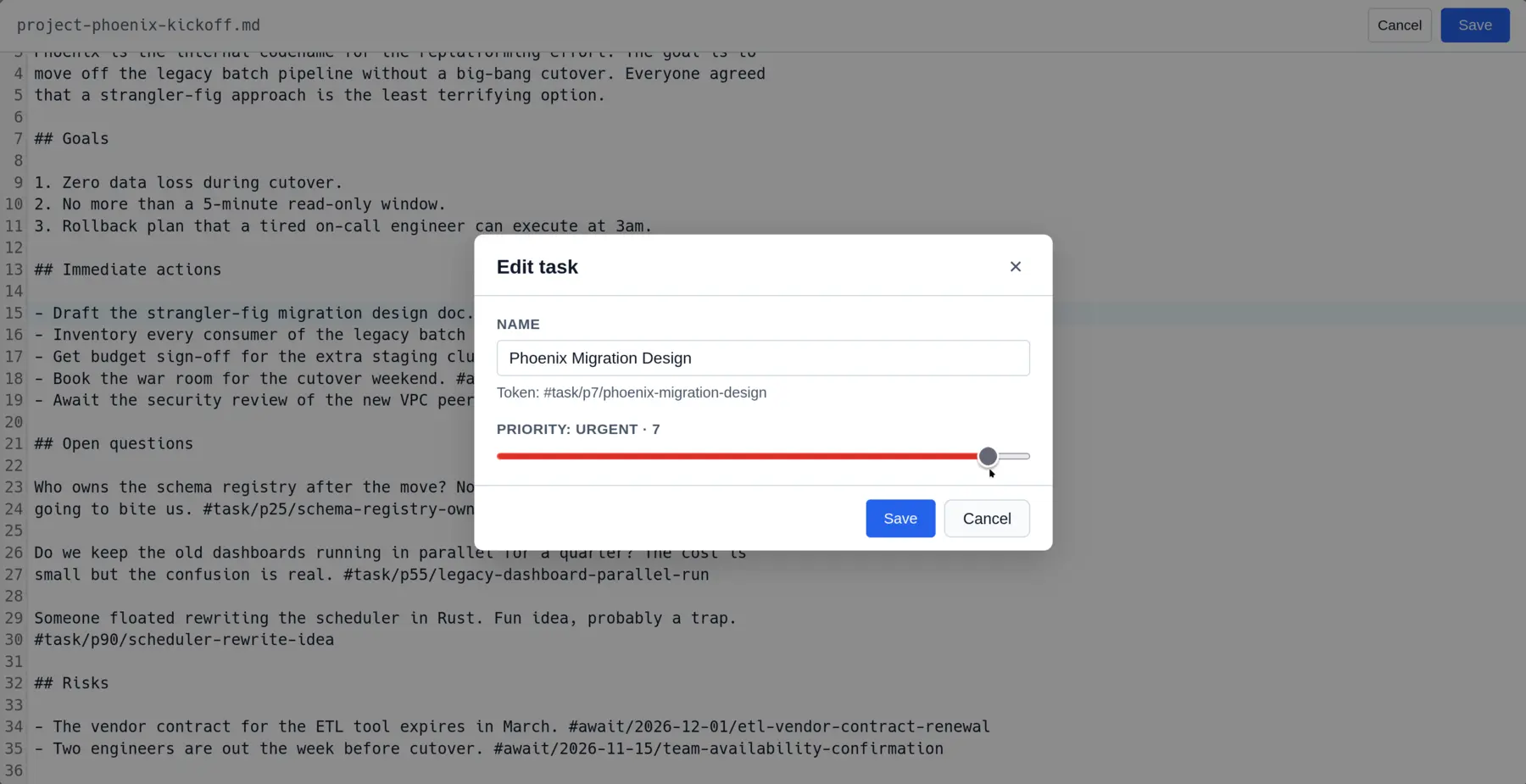
- One priority scale from 1 (highest) to 100, shared by the app, notes and markdown. Mapped to CalDAV's 1–9 so Thunderbird edits stay in sync.
- Await
- Things you are waiting on, by date. Future items show purple, overdue ones red.
- Done
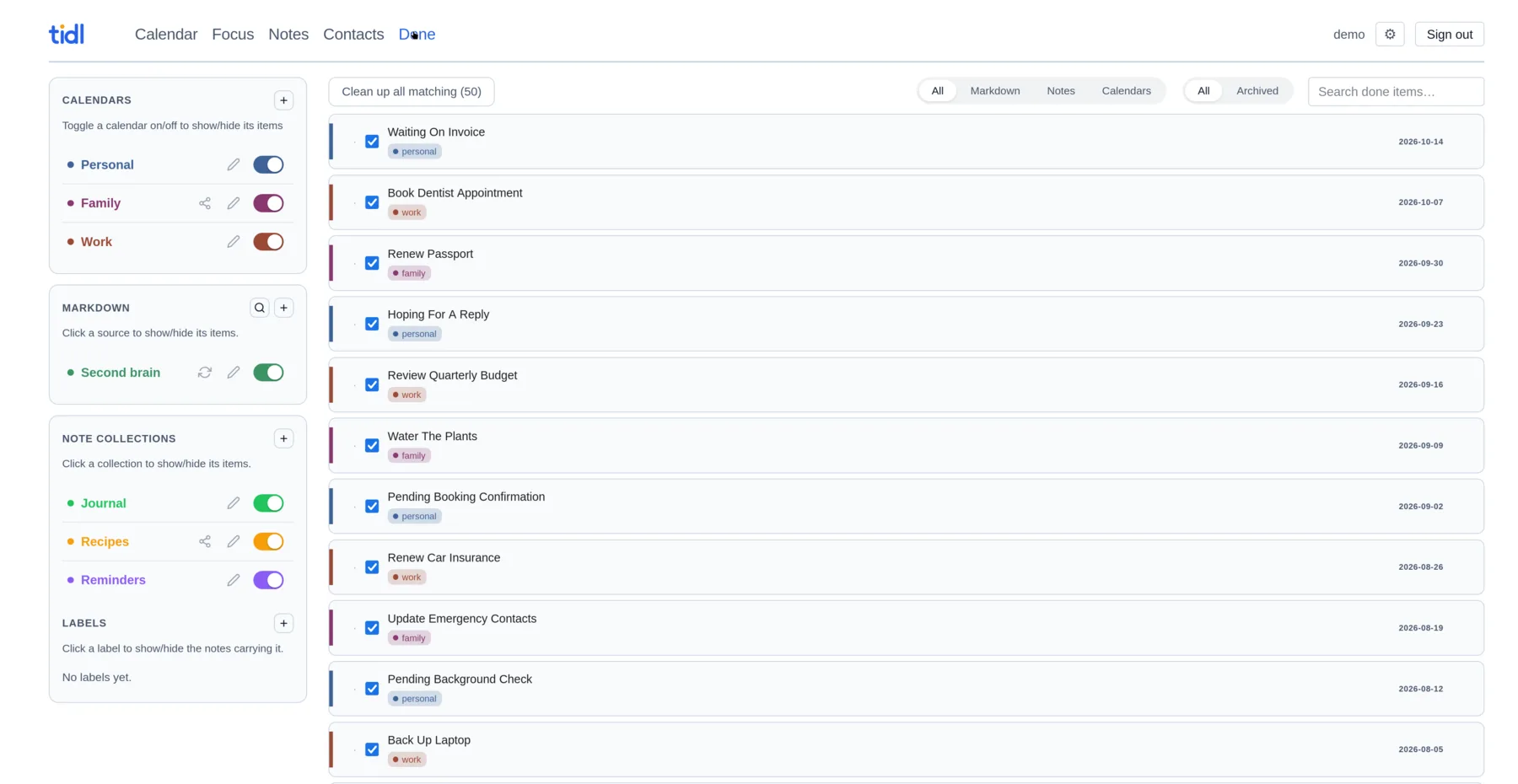
- Every completed item — from a note, a markdown tag or a calendar — lands in one Done list, searchable and filterable, with a live count in the nav. Re-open a mistake, or archive an item to strip it from its source. A retention rule can archive items automatically once they age past it.
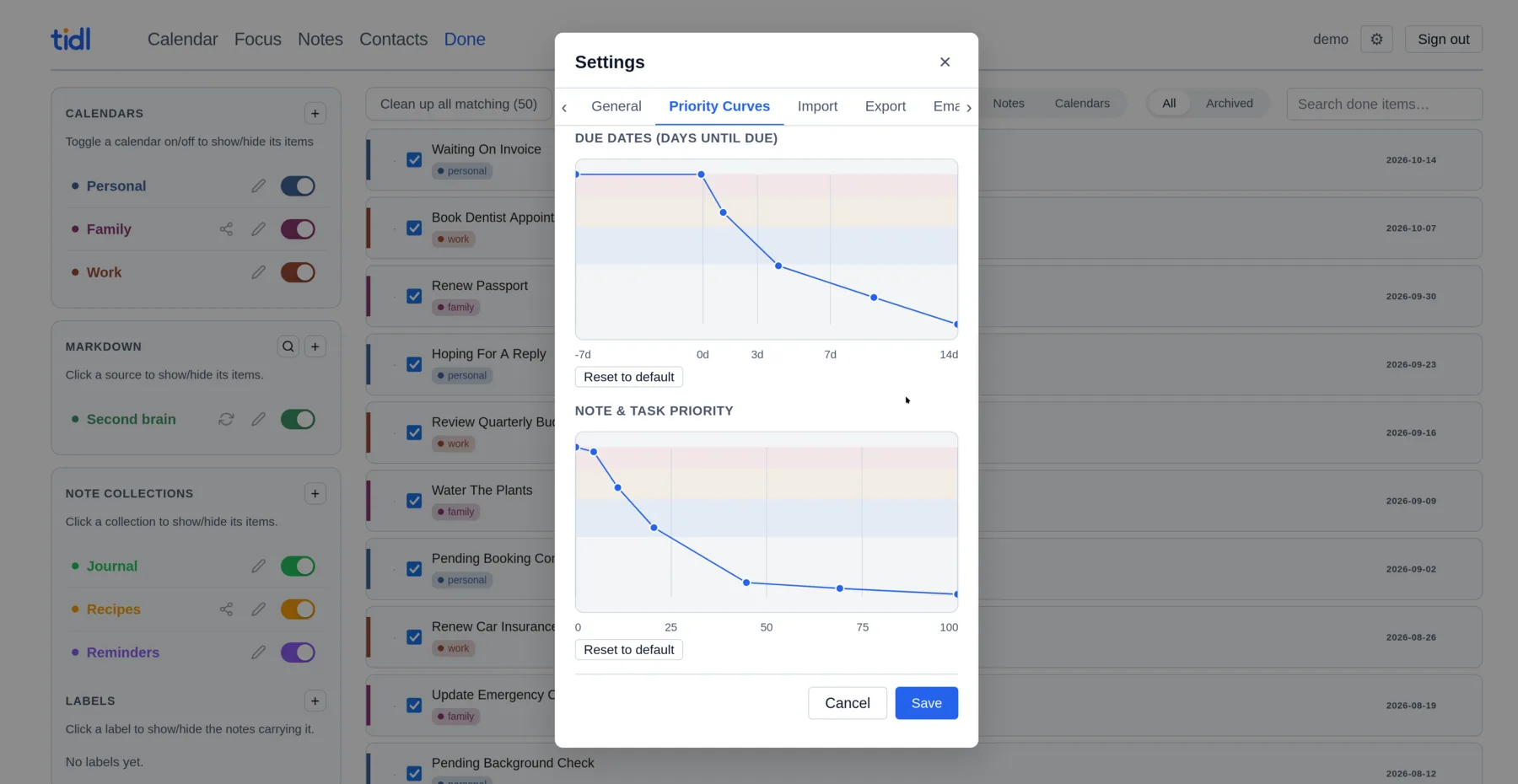
- Priority curves
- Reshape how time left and priority turn into urgency, by dragging points on a graph with URGENT, SOON, UPCOMING and LATER bands.
Notes
- Collections
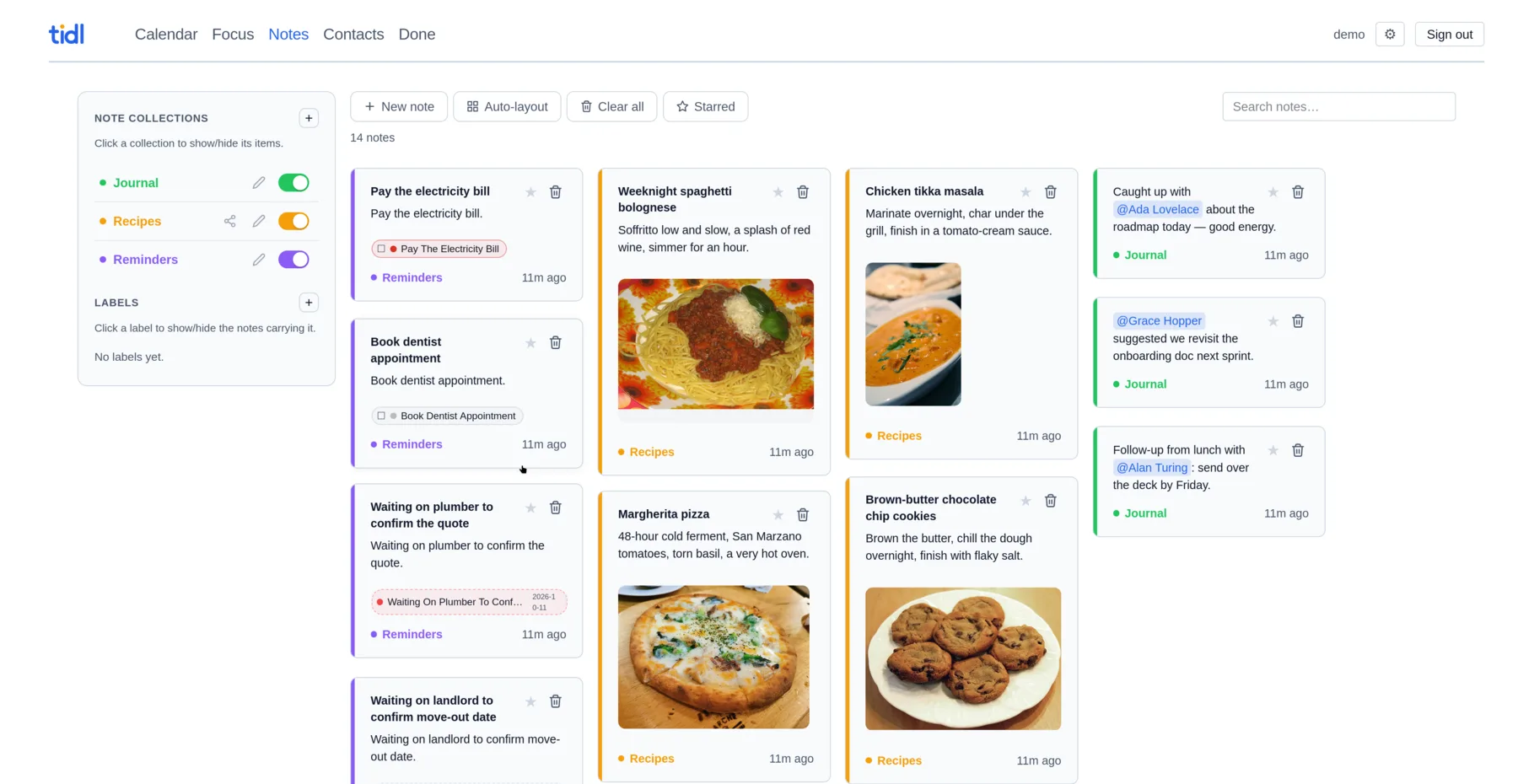
- Notes in colour-coded collections, private or shared. Pin, star and search across everything you can see.
- Labels
- Reusable colour-coded labels on top of collections, with a picker in the editor and a filter panel beside Focus. Create, rename or recolour one without leaving the page.
- Free-form grid
- Drag a note to any cell. Auto-layout previews a tightly packed grid; keep it or switch back.
- Inline tasks & awaits
- Add any number of tasks and awaits to a note. Each is a one-line chip with a checkbox that appears in Tasks, Await and Focus and syncs over CalDAV. Click a chip to rename it or change its priority; a checked-off one re-opens in place.
- @mentions
- Type
@to link a contact. Click the pill to see their details without leaving the page. - Bulletize / Taskify
- Turn checklist items back into plain bullet lists when they were never tasks, and back again, in one click.
- Images & links
- Attach images inline (up to 5 MiB each) and click one to open it full screen. Bare URLs become clickable links.
- Consolidate to Markdown
- Write a note out as a new file in a chosen markdown source and folder. Its title becomes a heading, its images become sidecar files, and its tasks, awaits and
[[wikilinks]]survive the move. Git-backed sources are committed and pushed. - Google Keep import
- Drop in a Takeout zip. Titles, labels, pins, checklists and images come across.
Contacts
- Rich records
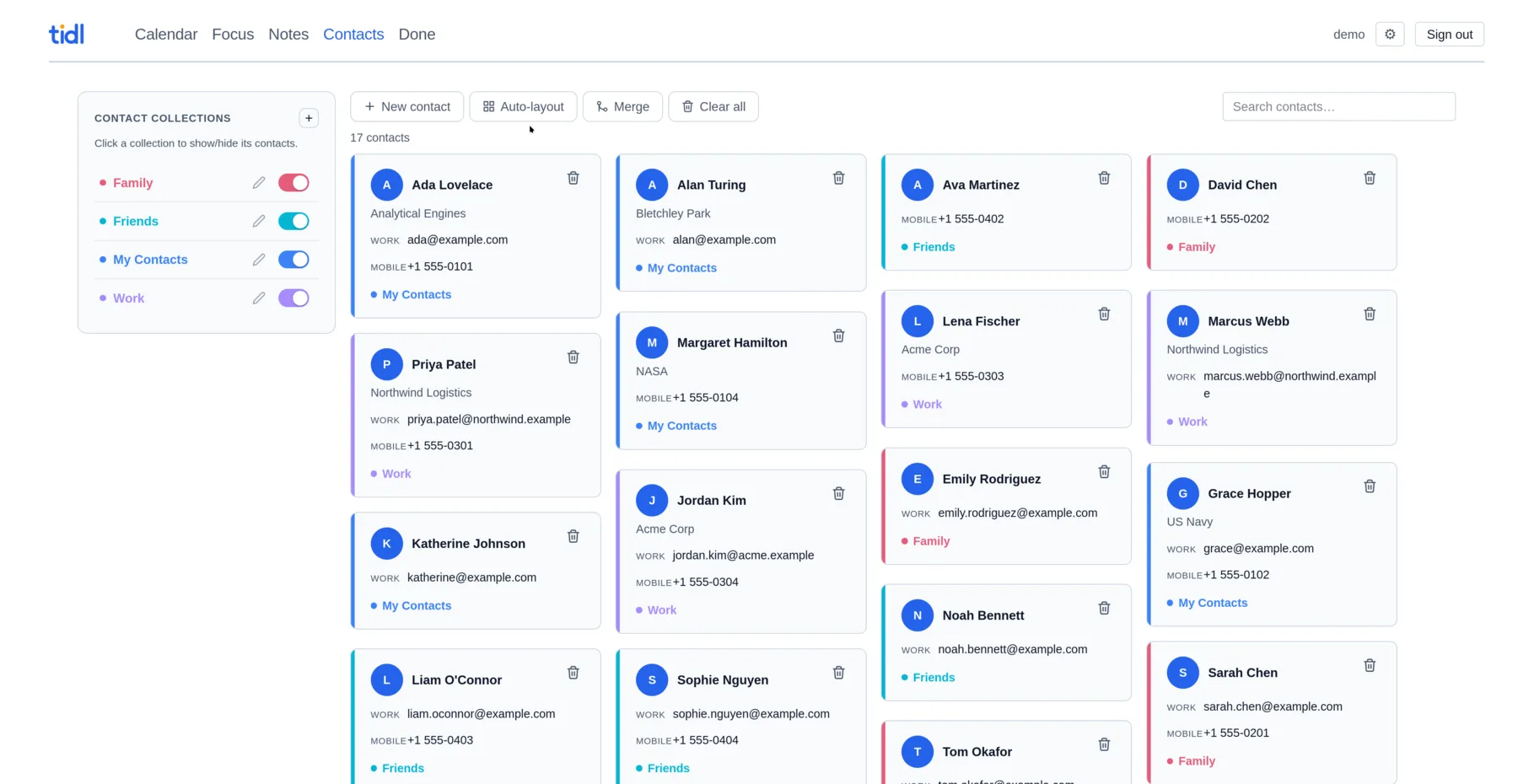
- Name parts, nickname, organisation, birthday, anniversary, categories, a photo, and any number of addresses, emails, phones, URLs and IM handles.
- Collections
- Colour-coded address books, private or shared. Each one is its own CardDAV address book.
- Merge duplicates
- tidl suggests likely duplicates. Merge them and pick which name, details and photo to keep.
- Import & export
- Read and write standard
.vcf, photos included, with a preview before you import.
Markdown
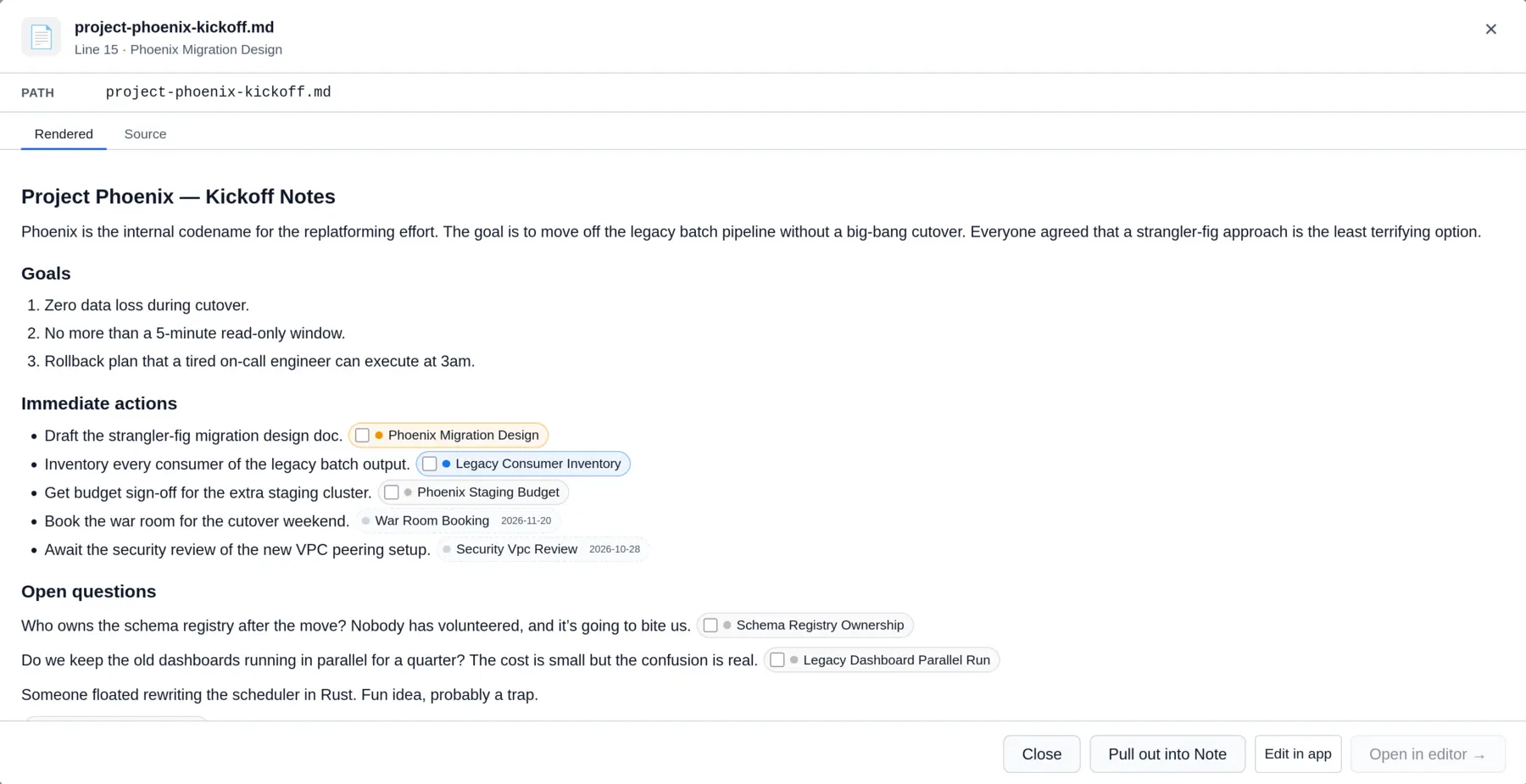
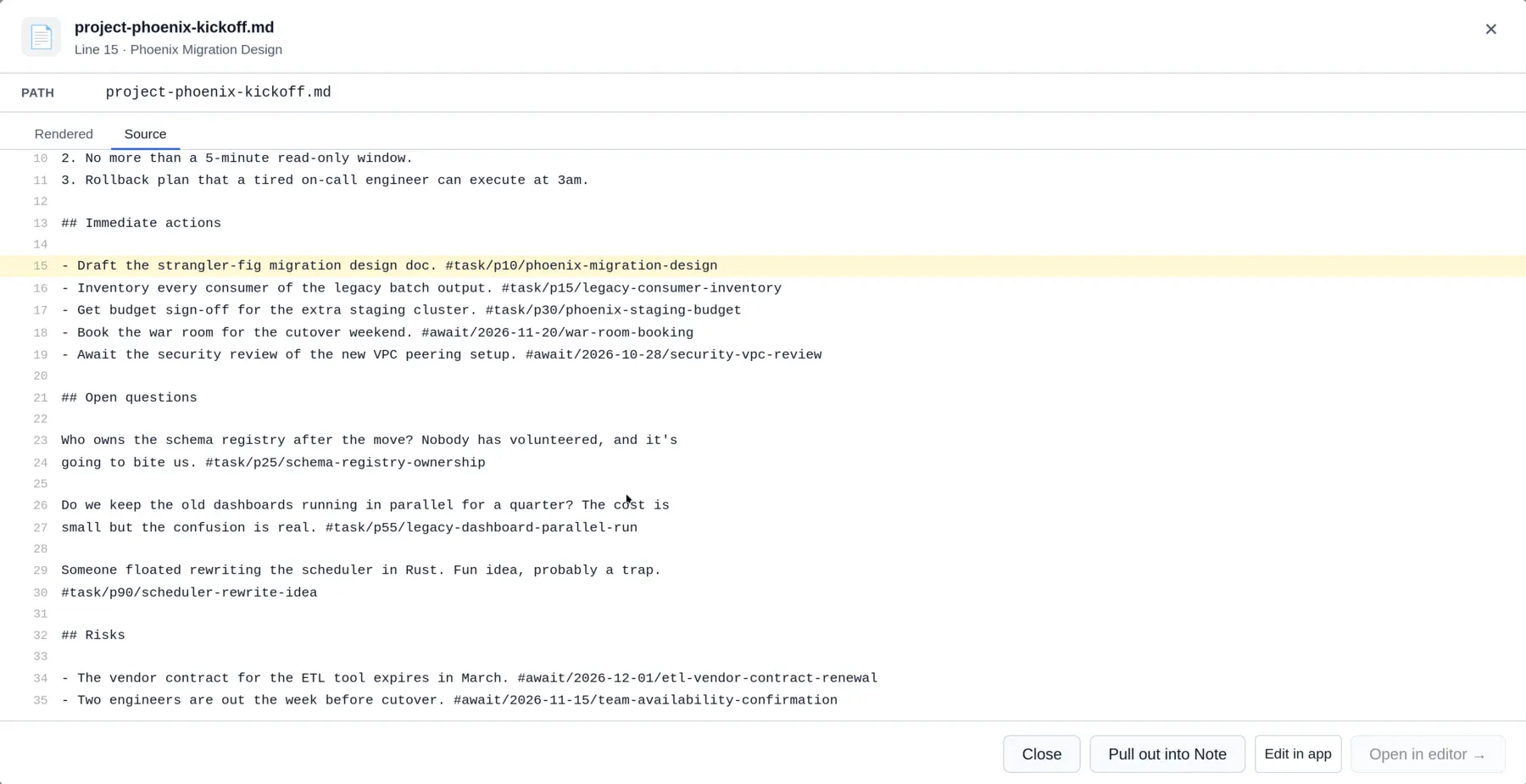
Add a local folder or a git repository as a source. tidl watches it and turns tags into tasks, shown as the same chips you get in notes. Browse and edit files in the app, click a chip to change it in place, follow [[wikilinks]], or jump to any file with Ctrl/⌘ K.
- Pull out into Note
- Import the open file into a note collection. A leading
# Titlebecomes the note title, relative images are re-imported, and you can keep or delete the file. Together with Consolidate to Markdown on the note side, this moves content either way without losing its tags, links or mentions.
#task/p1/critical-bug              priority 1 (highest) to 100
#task/2026-06-01/renew-passport    dated task, no priority
#await/2026-01-15/call-dentist     waiting on something until a date
#done/2026-06-02/p1/critical-bug   written when you tick it off; un-checks back
Sharing & sync
- Share by email
- Share a calendar, note collection or contact collection with another user, read-only or read-write. It shows up in their app and their CalDAV/CardDAV clients.
- Live updates
- New events, edits and revoked shares appear in open tabs on both sides without a refresh.
- App tokens
- A named credential per client, revocable without changing your password.
- Accounts
- Self-service sign-up with email verification, single sign-on, and an admin view for users.
- Outlook bridge
- A PowerShell script pushes your local Outlook calendar into tidl. No install or admin rights needed.
Install
tidl ships as a multi-arch container image, prebuilt release archives and a NixOS module; you can also build it from source. Every route needs a secret — a secret in the config, or a file named by TIDL_SECRET_FILE — and anything reachable from outside your network belongs behind a reverse proxy with TLS.
Please don't run tidl on an open network. It has not received the security attention a public service needs, so keep it on localhost or a private network you control. Putting it behind a reverse proxy with TLS is a good idea, but it is not a substitute for that. An overlay network such as Tailscale, Nebula or WireGuard can give you access from elsewhere without exposing the server directly.
Docker Compose
The quickest path is the published image (linux/amd64 and linux/arm64), configured entirely through TIDL_* environment variables. The data volume is the only path that needs to persist.
services:
  tidl:
    image: ghcr.io/puckles7/tidl:latest
    restart: unless-stopped
    ports: ["3060:3060"]
    environment:
      TIDL_DOMAIN: tidl.example.com
      TIDL_SECURE_COOKIE: "false"   # set true once behind HTTPS
      TIDL_SECRET_FILE: /run/secrets/tidl-secret
    volumes: ["tidl-data:/data"]
    secrets: [tidl-secret]

volumes:
  tidl-data:

secrets:
  tidl-secret:
    file: ./tidl-secret
openssl rand -base64 32 > tidl-secret   # or: tidl-server generate-secret
docker compose up -d
docker compose exec tidl tidl create-admin \
  --email you@example.com --username you \
  --display-name You --password 'a-strong-password'
Prebuilt archive
Each release also publishes a Linux tarball (x86_64 and aarch64) and a Windows zip (tidl-linux-<arch>-<version>.tar.gz and tidl-windows-<version>.zip): the server, the web assets and a sample config. Set VERSION to the latest tag, unpack the archive, add your secret, and run the launcher from inside the folder.
VERSION=0.1.0   # latest release tag
curl -LO "https://github.com/puckles7/tidl/releases/download/v$VERSION/tidl-linux-x86_64-$VERSION.tar.gz"
tar xzf "tidl-linux-x86_64-$VERSION.tar.gz"
cd "tidl-linux-x86_64-$VERSION"
cp config.toml.example config.toml   # set secret, then run
./run.sh
NixOS module
On NixOS, add the flake as an input and enable the module. It runs the server under systemd and can read the secret from a file — a sops secret here.
services.tidl = {
  enable = true;
  host = "0.0.0.0";
  port = 3060;
  domain = "tidl.example.com";
  dataDir = "/var/lib/tidl";
  secretFile = config.sops.secrets."tidl-secret".path;
};
Build from source
With the Rust toolchain, or the Nix dev shell, build the server and the WASM frontend together. Run it from the folder that holds assets/ and target/site/.
nix develop
cargo leptos watch   # dev, :3060
nix build            # production
cargo install cargo-leptos
cargo leptos watch
cargo leptos build --release
[server]
host = "127.0.0.1"
port = 3060
domain = "tidl.example.com"
secret = "..."   # required; generate-secret writes a key file

[paths]
data_dir = "./data"
Reverse proxy
tidl speaks plain HTTP and expects a TLS-terminating proxy in front of it for anything off localhost. Caddy with automatic certificates needs almost nothing; nginx needs a few settings tidl relies on.
tidl.example.com {
  reverse_proxy 127.0.0.1:3060
}
server {
  listen 443 ssl;
  server_name tidl.example.com;

  location / {
    proxy_pass http://127.0.0.1:3060;
    proxy_set_header Host $host;
    proxy_set_header X-Forwarded-For $proxy_add_x_forwarded_for;
    proxy_set_header X-Forwarded-Proto $scheme;

    client_max_body_size 6m;
    proxy_buffering off;
    proxy_read_timeout 3600s;
  }
}
Three things matter for tidl. Keep the Authorization header intact — CalDAV and CardDAV clients sign in with HTTP Basic, and some setups drop it. Raise the body limit, since nginx's default 1m is smaller than the 5 MiB inline note images. And leave buffering off with a long read timeout, so the server's live-update stream is not held back. The URLs to enter in your devices are on Connect a client.
Connect a client
- Calendars & tasks
https://your-domain/caldav/username/calendar
Tested with iOS Calendar & Reminders, DAVx⁵ and Thunderbird.- Contacts
https://your-domain/carddav/username/
Most clients discover every address book from this URL. Tested with iOS Contacts and Thunderbird.- Sign in with
- Your tidl username and password, or an app token from Settings → App Tokens.